
Guide · 12 min read ·
Employee Training LMS: Key Features, Benefits and Selection Checklist
Picking an employee training LMS sounds easy until the demos start. This guide keeps it plain: what an employee training LMS is, which features matter, what it costs in India, and how to choose one with a 12-point checklist.
Pranshi Mittal
Learnify Team
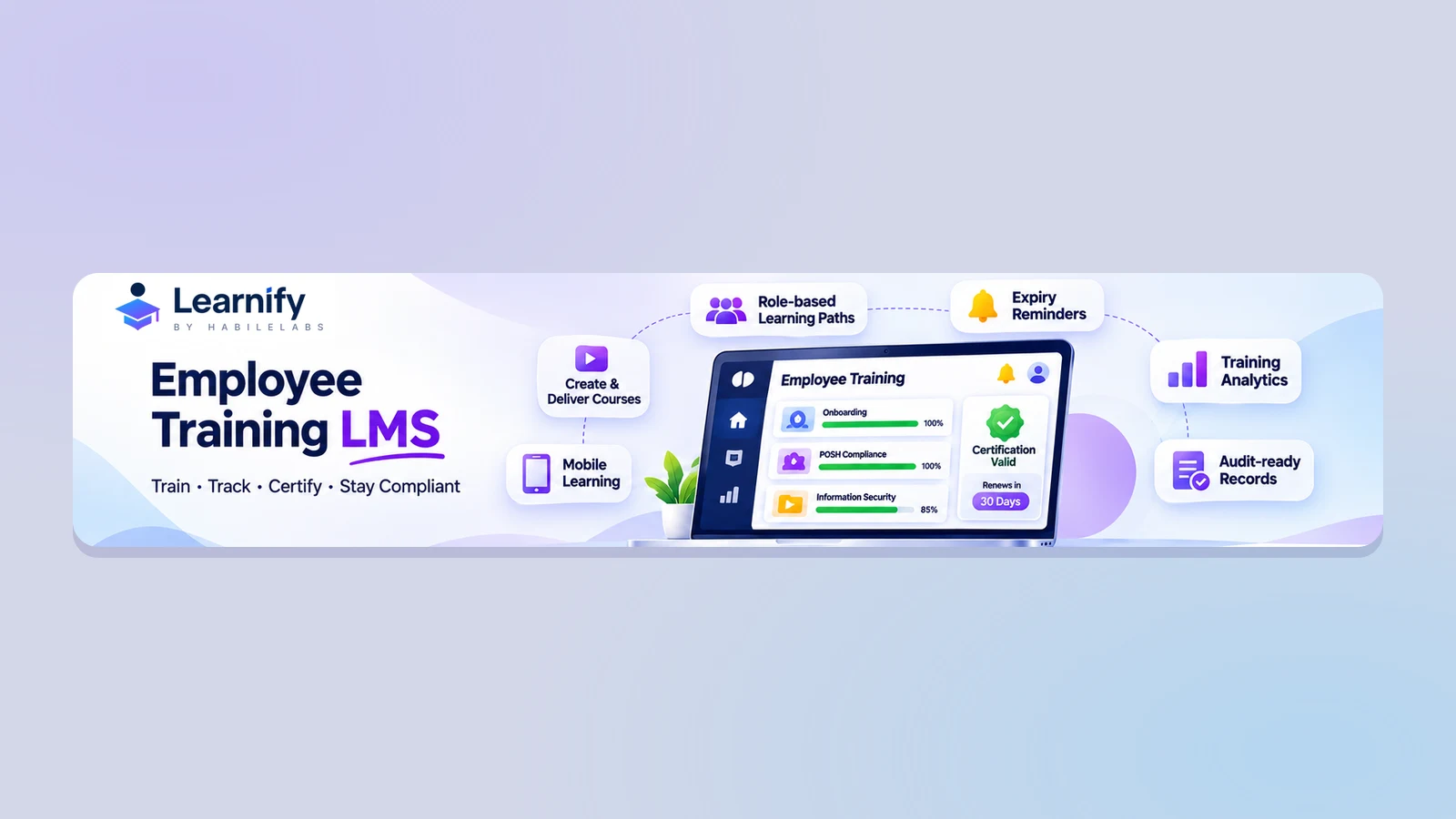
Picking an employee training LMS sounds easy until the demos start. Every vendor says their tool is simple, modern and powerful. Few tell you what to check before you sign.
This guide keeps it plain. You will learn what an employee training LMS is, which features matter, what it costs in India, and how to choose one with a 12-point checklist.
Quick answer
An employee training LMS (learning management system) is software that gives your staff their courses, tracks who finished them, and keeps the records. The best ones also warn you when someone’s training runs out, so you can show an auditor that your people are trained today, not just once. Look for five things: courses by job role, expiry reminders, clear reports, one-click sign-in with automatic account clean-up, and a mobile app.
What is an employee training LMS?
A learning management system (LMS) is software that helps you build, deliver and track online training. An employee training LMS does this for your staff. It handles new-joiner onboarding, safety courses, compliance courses and product training in one place.
Think of it as a school office for your company. It keeps the timetable, the marks and the certificates, so nobody has to dig through emails and spreadsheets.
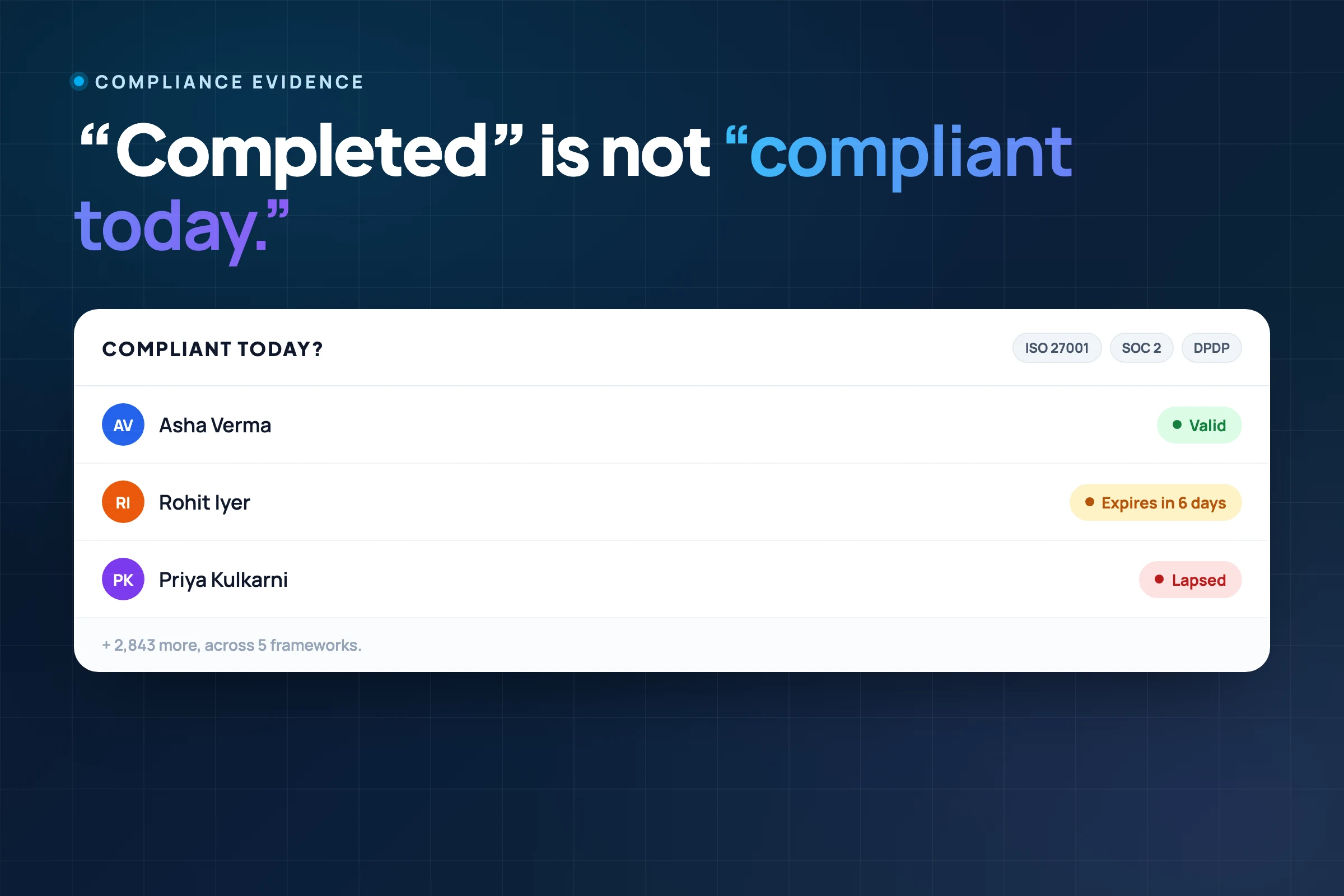
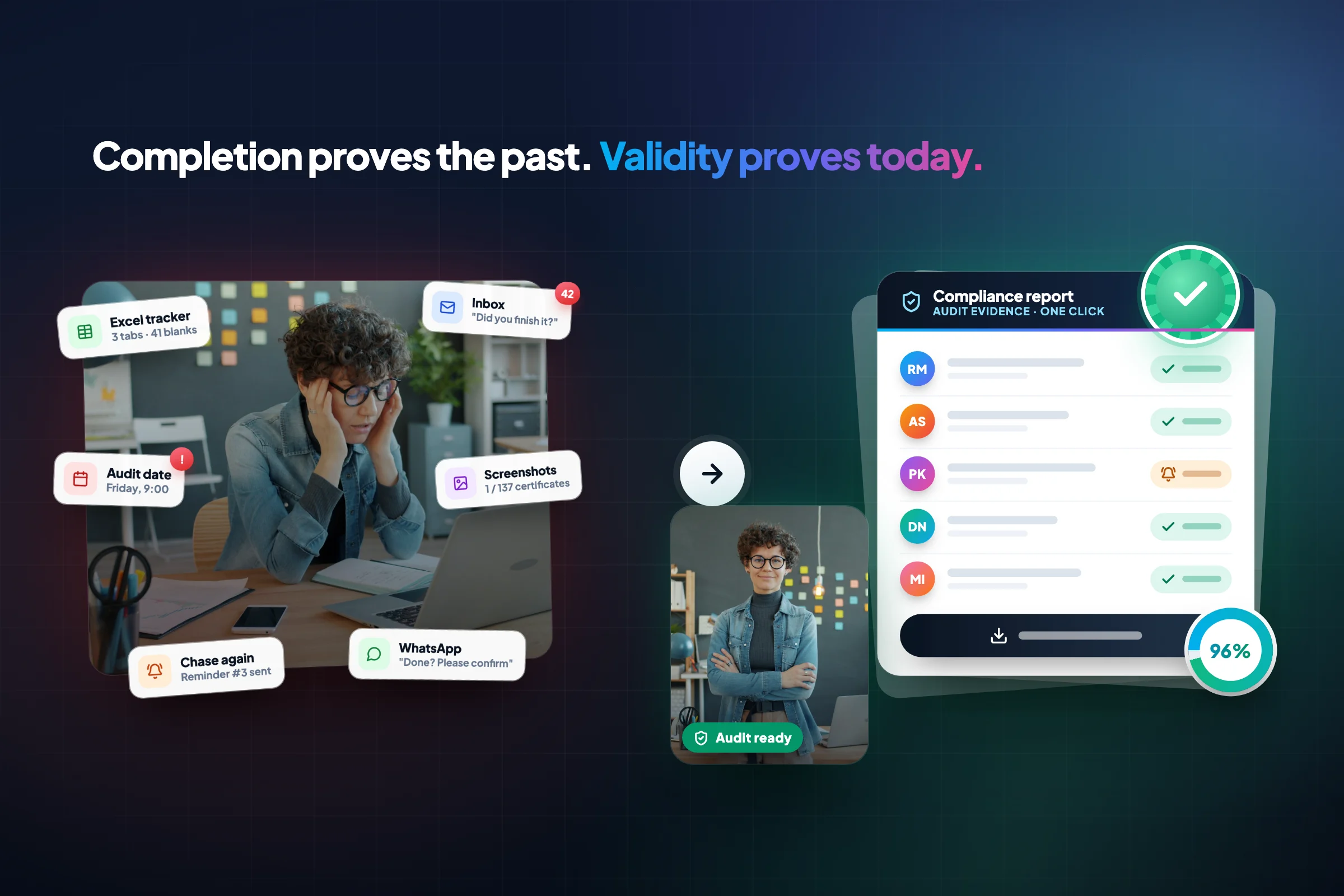
A basic LMS answers one question: did this person finish the course? A good employee training LMS also answers two harder ones. Is their training still valid today? And can you prove it if an auditor asks?
Why businesses need an employee training platform
Most teams start with a shared folder, a spreadsheet and a lot of reminder emails. That works for ten people. At 300 people across a few cities, it breaks down fast.
You have likely outgrown spreadsheets if any of these sound familiar:
- You chase people by email to finish their courses.
- You cannot say who is overdue without an hour of checking.
- Audit week turns into a scramble to find proof.
The pressure often comes from outside. Privacy rules such as India’s DPDP Act also mean the platform that holds your staff’s training records has to handle personal data carefully. Auditors, clients and regulators now ask for proof, not promises. Courses like POSH, anti-money-laundering (AML/KYC) and information security must be finished, repeated on time and recorded.
An employee training platform puts every course, score and certificate in one place. You stop chasing people and start seeing a live picture of who is trained and who is not.
If compliance is your main driver, see our compliance training solution, or read why finishing a course is not the same as being compliant.
Essential employee training LMS features
Vendor feature lists run for pages. Most of it matters less than the six things below. For each one, ask the vendor to show it live. For the full list of what a platform can do, see the features overview.
Role-based learning paths
A new branch manager and a field engineer should not get the same course list. Role-based learning paths give each person the courses for their job, location or team. That makes role-based onboarding training much easier to run. It also helps you spot skills gaps, because you can see which team is missing which training.
Compliance and certification tracking
A course finished two years ago may not count today. Good tracking handles this in four ways:
- Retraining on a schedule. Courses repeat every 6 or 12 months, and the clock starts from each person’s own finish date.
- Expiry alerts. People and their managers get a reminder before a certificate runs out.
- Policy acknowledgement. Staff confirm that they have read and understood a policy.
- Audit-ready training records. You can export proof of who did what, and when.
Together these give you certification readiness. Nobody is caught with an expired certificate when the audit or exam arrives.
Many banks and NBFCs also need exam preparation, such as NISM, IRDAI and AMFI. See how that works in our solution for banks and NBFCs.
Training analytics and reporting
A completion percentage is not enough. Good training completion tracking shows who is pending, who is about to expire, and which courses people struggle with. It should also show how many people actually log in, because that tells you whether the LMS is being used or ignored. Filters matter too, since an L&D head and a compliance officer ask different questions of the same data.
SAML, SSO and SCIM integrations
These terms sound technical, but the ideas are simple.
- SSO (single sign-on) lets people log in with their normal work account instead of a new password.
- SAML is one common way to make single sign-on work.
- SCIM creates, updates and removes user accounts automatically, so a person who leaves the company loses access without anyone doing it by hand.
Here is the difference at a glance:
| SAML | SCIM | |
|---|---|---|
| What it does | Handles sign-in | Handles accounts |
| Simple example | “Log in with your company account” | “Remove access when someone leaves” |
| Why you care | Fewer passwords, safer logins | Leavers do not keep access by mistake |
Most companies want both, because SAML alone does not remove an old account. For a longer explanation, read our plain-English guide to SSO, SAML and SCIM.
Mobile learning and microlearning
Frontline staff often learn on a phone, sometimes offline and sometimes in their own language. Microlearning means short lessons, usually a few minutes each, with a quick quiz at the end. A compliance microlearning solution uses these short lessons for yearly refreshers, because people actually finish them.
Partner and customer training
Some training is not for employees at all. Dealers, resellers and customers need it too. A partner training LMS gives them their own branded portal, with their own courses and certificates.
Many teams run these portals on their own web address. For a deeper look, see our guide to customer and partner training or the white-label LMS buyer’s guide.
How Learnify fits in
Learnify is a training platform built by HabileLabs for teams that need to prove their training, not just deliver it. Each course can expire. The Compliance Watchdog agent reminds people before it does, and access locks until a renewal is approved. One click exports an evidence pack, a ready-made file of proof. Sign-in works with SAML, Microsoft and Google, and SCIM 2.0 handles account clean-up. See the employee training solution in full.
Benefits for L&D, compliance and business leaders
Three groups care about an employee training LMS, each for a different reason.
| Who | What they worry about | What a good LMS gives them | What to watch |
|---|---|---|---|
| L&D and HR heads | Are people learning, and are they using the system? | Courses by role, easy course building, quizzes and points to keep people engaged | Course completion rate, how many people log in, skills gaps closed |
| Compliance and audit heads | Can I prove it today? | Expiry alerts, policy acknowledgement, one-click records | Share of staff currently compliant, number overdue, time to produce records |
| Leaders and finance (CXOs) | Is this worth the money? | One system instead of many, less manual work, one clear bill | Cost per employee, time to competency (how fast a new hire becomes productive), audit prep time |
The common thread is less chasing and more proof. Your team spends its time on training that matters, not on building reports.
Employee training portal vs full LMS
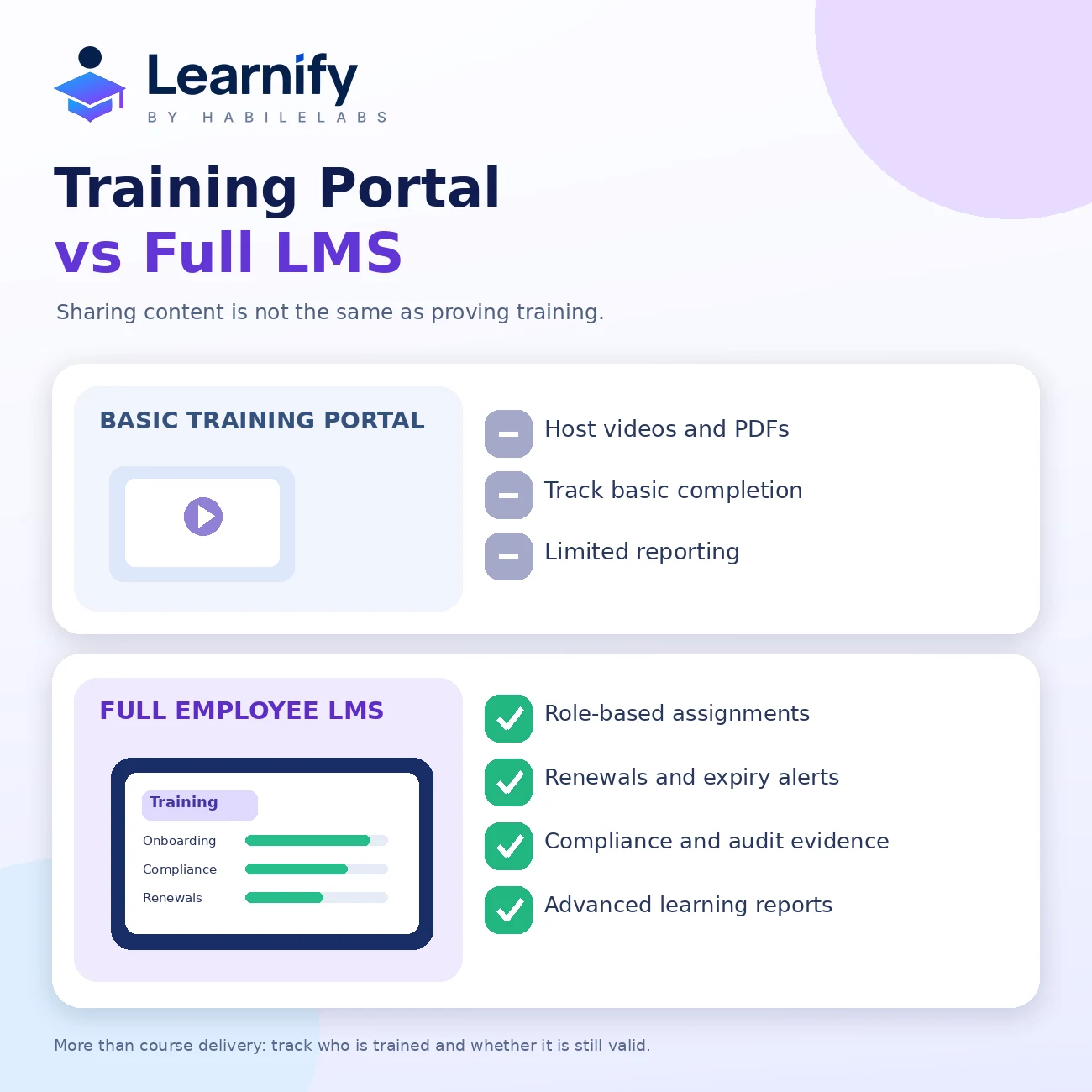
A training portal is a place to store and share content. A full LMS adds the tracking, rules and records on top. They can look the same in a demo, so ask one question: what happens after someone clicks “complete”?
| Question | Training portal | Full LMS |
|---|---|---|
| Hosts videos, PDFs and documents | Yes | Yes |
| Gives courses by role or group | Limited | Yes |
| Tracks completions and scores | Basic | Yes, with reports |
| Repeats training on a schedule | No | Yes |
| Locks access when training runs out | No | Sometimes |
| Keeps an audit log and proof file | No | Yes |
If you only need to share onboarding documents, a portal may be enough. If an auditor might ask for proof, you need a full LMS.
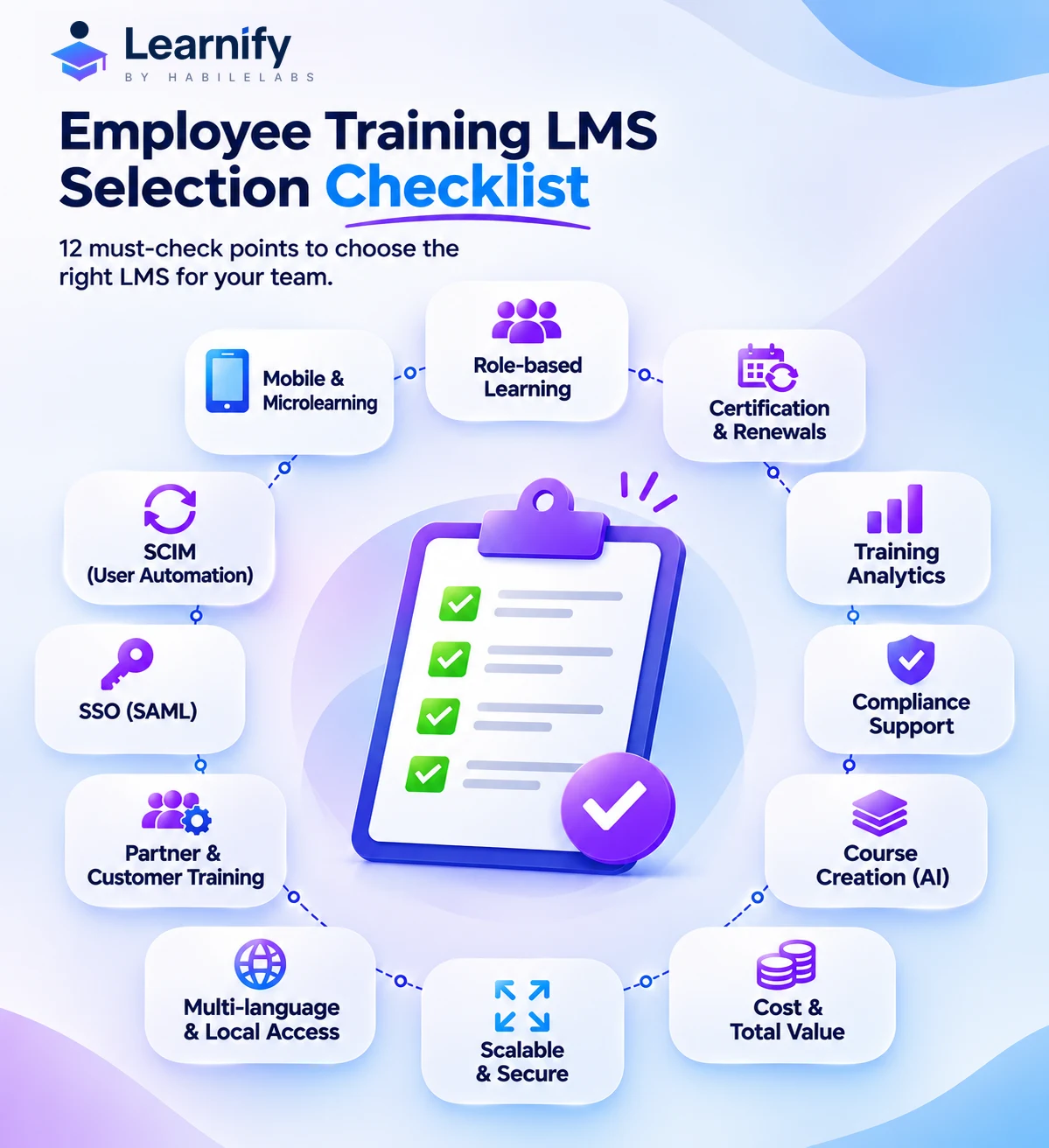
Employee training LMS selection checklist
Use this list with two or three vendors side by side. Ask each one to show every point live, not on a slide.
- Can I give courses by role, location and team?
- Can training repeat on a schedule that starts from each person’s own finish date?
- When training expires, does access lock, or does the system only send a reminder?
- Can people confirm that they have read and understood a policy?
- Can I export a dated proof file in one step?
- Is there an audit log, and how long is it kept?
- Does it support single sign-on (SAML)?
- Does it support SCIM, so leavers lose access automatically?
- Where is our data stored, and does the platform handle consent, data-rights requests and breach records for DPDP or GDPR?
- Does the mobile app work offline and in our staff’s languages?
- Can I turn an existing policy PDF into a course?
- What is the full price for our headcount, with every extra included?
LMS pricing and total cost of ownership
“Total cost of ownership” simply means what you really pay in the end, not just the price on the quote. This section shows how LMS pricing works, which extras to watch for, and uses Learnify’s published India prices as a worked example.
How LMS pricing works
Most LMS vendors use one of three models.
| Pricing model | How it works | Watch out for |
|---|---|---|
| Per registered user | You pay for everyone who has an account | Costs rise as soon as you add people, even if they rarely log in |
| Per active learner | You pay only for people who log in that month | Ask exactly what counts as “active” |
| Flat or tiered plan | One price for a band of users | Big jumps when you cross into the next tier |
Costs that are not on the quote
Ask every vendor whether these are included or extra:
- Setup, and moving your existing courses
- Single sign-on (SAML) and SCIM account syncing
- Audit logs and proof-file exports
- Extra storage regions, or hosting it yourself
- Support, including nights and weekends
- Help building courses
- Training your own admins
LMS price in India: Learnify as an example
To make this concrete, here are the published India prices for one platform, Learnify. You can check them on its pricing page, which also has a calculator.
| Plan | Price | What’s included |
|---|---|---|
| Free trial | ₹0 for 30 days, up to 20 seats | Every Pro feature, no card needed |
| Pro | ₹199 per seat per month in India (billed yearly, before GST); $10 per seat per month outside India | At least 20 seats, 30 AI course creations and 1,000 Tutor chats a month, email and chat support |
| Enterprise | Quoted | From 1,000 seats or any self-hosted setup; uptime promise (SLA), data protection agreement (DPA), 24/7 support with a named solution architect |
Pro gets discounts for bigger teams: 10% off for 101 to 500 seats and 20% off for 501 to 2,000 seats. Paying monthly instead of yearly costs 20% more per seat.
That works out to about ₹2,388 per employee per year at list price (₹199 × 12). With the 10% discount it is roughly ₹2,149, and with the 20% discount roughly ₹1,910. These are our own sums from the list price, before GST. For example, 100 seats on Pro in India cost ₹19,900 a month, or ₹2,38,800 a year when billed yearly.
How to work out LMS ROI for employee training
You do not need a fancy model. Add up what the LMS saves you, then compare it with what it costs:
- Time saved building courses. Count the hours your team spends turning policies into courses today. Multiply by their hourly cost.
- Time saved on audit prep. Count the days your team spends collecting proof today.
- Fewer lapses. Think about what an expired certificate or a failed audit point costs you.
- Compare with the price. Add up steps 1 to 3, subtract what you pay for the LMS, and divide by that cost.
Before you commit, try it. The free trial gives you 20 seats for 30 days with every feature switched on. The 14-day guided pilot goes deeper: a solution architect helps you load up to five of your real courses.
Questions to ask LMS vendors
These questions cut through a polished demo.
- Show me what happens on the day a certification expires. Who gets told, and does access lock?
- Can I see a sample proof file? How long does it take to produce?
- Do you support single sign-on and SCIM, and are they in our plan or extra?
- Where is our data stored, and can we host it ourselves if our policy requires it? How do you handle consent, data-rights requests and breaches?
- How fast can my team build a course, and who checks it before it goes live?
- What does the first 30 days look like?
- What is the full price for our headcount after year one?
Take this list into every demo, and compare the answers side by side.
Frequently asked questions
What is an employee training LMS?
An employee training LMS is software that lets a company build, assign, track and record staff training. A good one also shows whether each person’s training is still valid, which helps when an auditor asks for proof.
What is the best LMS for employee training?
The best LMS depends on what you need. For simple onboarding, many tools will do. If you must prove training for audits, pick one that tracks expiry dates, locks access when training lapses and exports a proof file.
How much does an employee training LMS cost in India?
Prices vary by vendor, team size and features. As one example, Learnify’s Pro plan is ₹199 per seat per month in India when billed yearly, before GST. That is about ₹2,388 per employee per year, with discounts for bigger teams.
What is the difference between an employee training portal and an LMS?
A training portal stores and shares content. An LMS also assigns courses, tracks results, repeats training on a schedule and keeps records. If you need proof of training, you need an LMS.
What is the difference between SAML and SCIM?
SAML handles sign-in, so people can use their work account. SCIM handles accounts, so people are added when they join and removed when they leave. Most companies need both.
How do I track certification expiry and stay audit-ready?
Choose an LMS that repeats training on a schedule, sends reminders before expiry and keeps a dated record of every completion. Check that you can export that record in one step.
What should an LMS for compliance training include?
A good LMS for compliance training repeats courses on a schedule, sends expiry alerts, asks staff to confirm they have read each policy, keeps an audit log and exports proof easily. Short lessons help too, because staff are more likely to finish them.
Can an LMS help with DPDP training?
An LMS can help you keep clear records of who was trained and when. Look for consent records, handling of data-rights requests and an incident workflow inside the tool. Check your exact legal needs with your legal team.
Is Learnify DPDP and GDPR ready?
Yes. Learnify lets you choose an India DPDP, EU GDPR or global profile at setup, and the data region, rights, notices and retention follow that choice. It keeps an append-only consent log, tracks eight types of data-rights requests and has a built-in incident workflow. Data is stored in Mumbai or Frankfurt, or in your own cloud if you self-host. Learnify is ISO 27001 aligned and SOC 2 ready, and you can ask for its security and privacy summary.
How do I measure the return on an employee training LMS?
Compare what you save with what you pay. Count the time saved building courses, the time saved preparing for audits and the cost of lapses avoided, then subtract the LMS price. The pricing section above walks through it step by step.
Choose an employee training LMS that proves the training worked
The right employee training LMS does more than host courses. It gives each person the right training, reminds them before it expires, and hands you proof when someone asks for it. Use the checklist above, ask vendors to show each point live, and compare the full price, not just the headline number.
See how Learnify helps L&D and compliance teams manage role-based learning, certifications and audit-ready training records.
Start a free trial with 20 seats for 30 days, or book a demo and walk through your own checklist with our team.
Book a demoKeep reading
More from the Learnify Journal
Your next audit should take an afternoon.
Start free and watch the evidence pack export from your own workspace — or book 30 minutes with a solution architect who has sat through the inspection you are preparing for.
info@habilelabs.io
20 seats · 30 days · no card
India · North America · Europe
HabileLabs Cloud, Data & AI